Printable Spectrum Channels List By Zip Code
When it comes to enjoying your favorite TV shows, knowing which channels are available in your area can be a game-changer. If you’ve recently switched to Spectrum or are considering their services, you might be wondering how to access a Printable Spectrum Channels List By Zip Code. This resource is essential for parents and families who want to keep track of what’s available without flipping through endless menus.
Why You Need a Spectrum Channels List
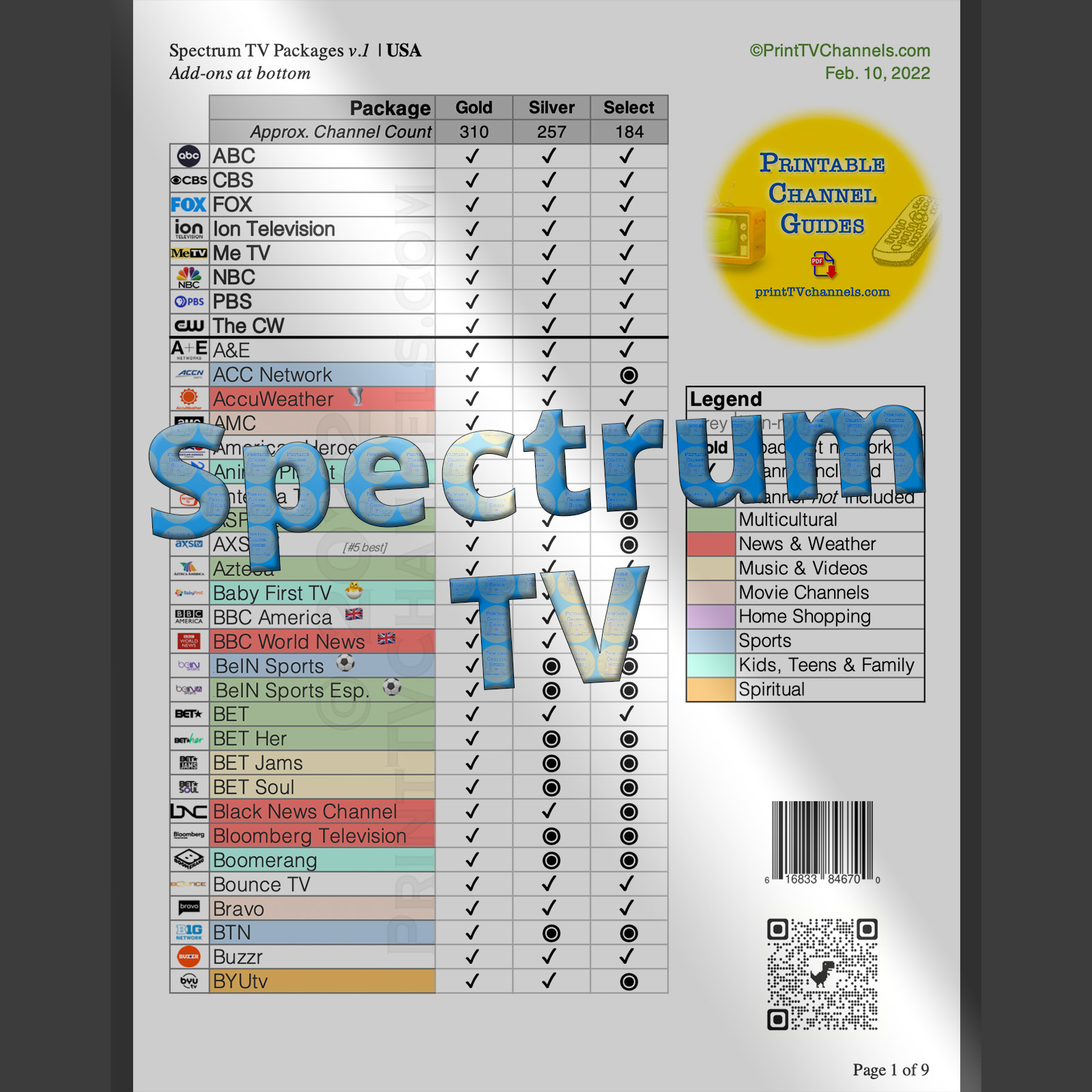
Having a channels list handy can save you time on channel surfing and help you plan family viewing nights more effectively. Think about it: you want to settle down with your family for a movie night or catch up on the latest series, but finding the right channel can be frustrating. A printable list allows you to quickly identify and note the channels you enjoy the most, whether it’s kids’ programming, sports, or prime-time shows.
How to Obtain Your Printable Spectrum Channels List
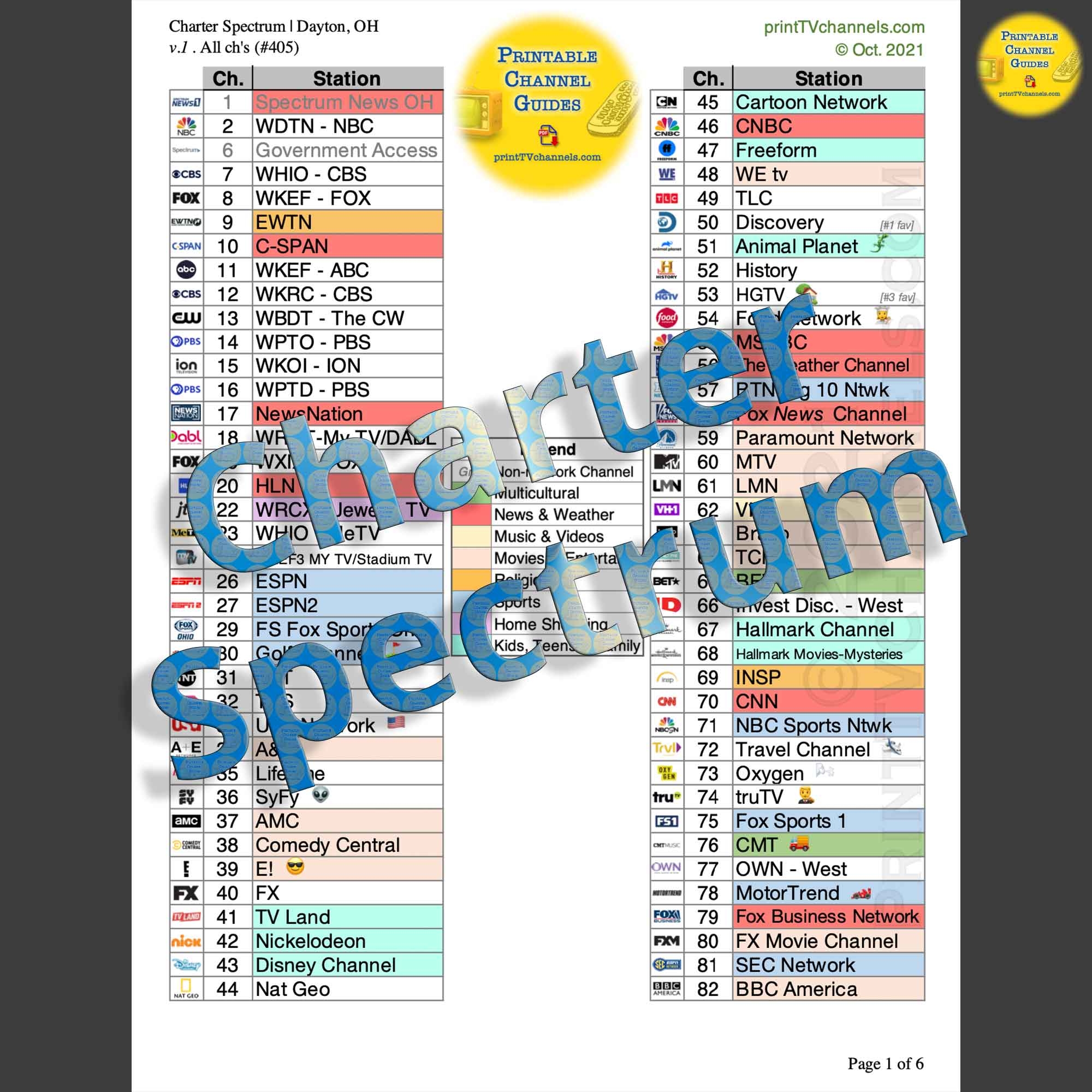
The process to get your Printable Spectrum Channels List By Zip Code is straightforward. Follow these steps to ensure you get the most accurate information for your area:
- Visit the Spectrum Website: Go to Spectrum’s official website. They usually have a dedicated section for channel lineups based on your zip code.
- Enter Your Zip Code: Input your zip code in the search box. This will filter the channel list to match your specific location.
- Select Your Package: Spectrum offers various packages, and channel availability may vary. Choose the package that you currently subscribe to or are interested in.
- Download the List: Once you have the list displayed, look for a download or print option. Most formats are available in PDF, which is great for printing.
- Print It Out: Use standard letter-sized paper for printing. If you plan to keep it handy, consider printing it on cardstock for durability.
Organizing Your Channel List for Family Use
Now that you’ve got your Printable Spectrum Channels List By Zip Code, it’s time to put it to good use! Here are some ways to organize and utilize this resource effectively:
Create a Family Viewing Schedule
A weekly viewing schedule can be a fun way to get everyone involved. You can:
- Mark down family favorites or new shows on the list.
- Use a whiteboard or a planner to visualize what everyone wants to watch each week.
- Rotate who picks the show for family movie night.
Color Code Your Channels
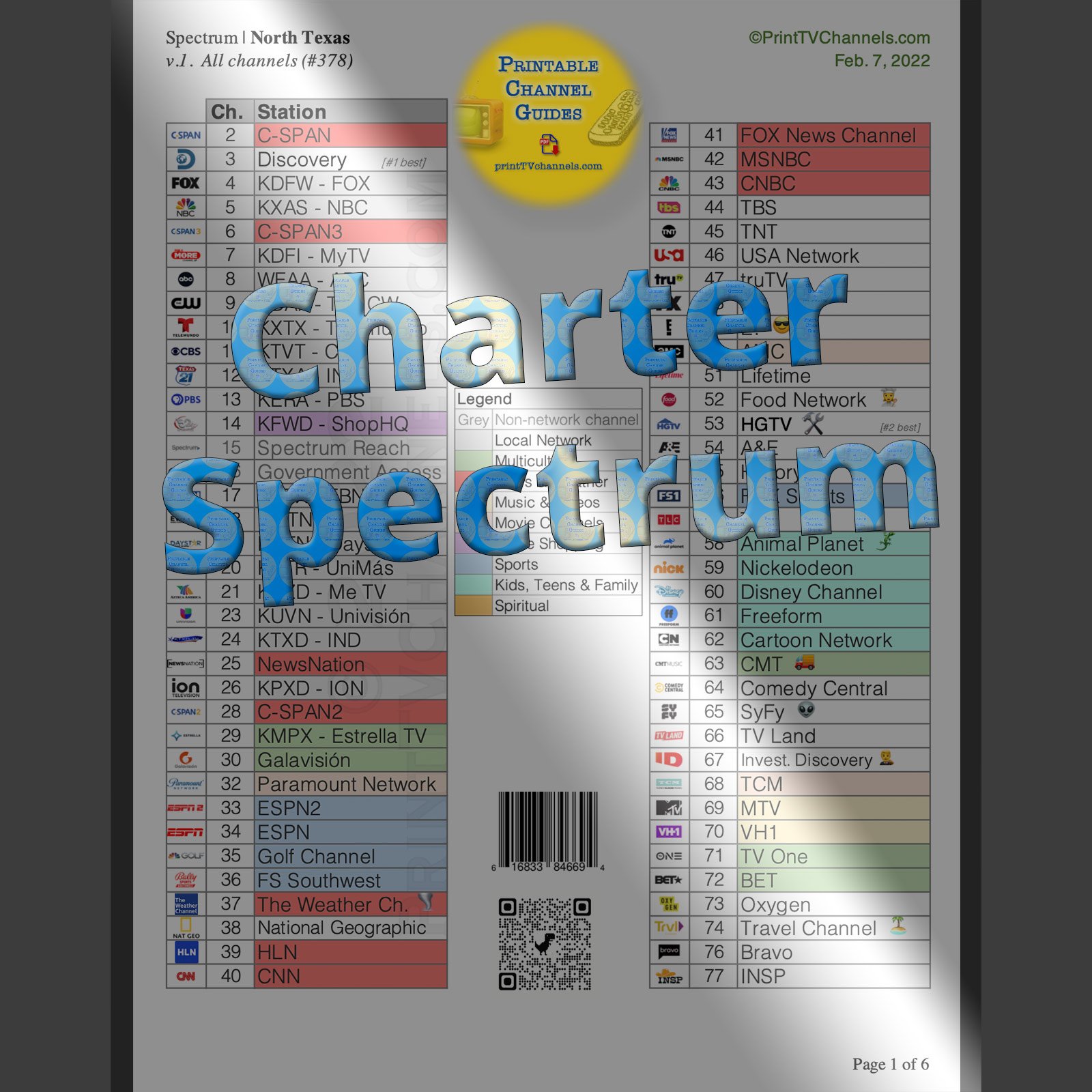
To make it even easier for the kids (and yourself!), consider color coding the channels on your printed list. For example:
- Green for Kids’ Shows: Highlight channels like Cartoon Network or Disney Channel.
- Blue for Sports: Mark ESPN and local sports channels.
- Red for Movies: Indicate channels like HBO or Showtime.
This system makes it quick to find what you’re looking for, especially when little ones are eager to watch their favorite shows!
Updating Your Spectrum Channels List
Channels can change, and new shows may be added frequently. Here’s how to keep your Printable Spectrum Channels List By Zip Code current:
- Check Regularly: Make it a habit to check the Spectrum website every few months or whenever you hear about new shows.
- Mark Changes: If a channel changes or a new one is added, highlight it on your list. This keeps your resource fresh and relevant.
- Reprint as Needed: Don’t hesitate to reprint your list when significant changes occur. It’s easy to do and ensures you always have the latest information.
Additional Tips for Using Your Channels List
To maximize the utility of your Printable Spectrum Channels List, here are a few more practical tips:
- Keep It Visible: Place the printed list on your fridge or another common area. This way, everyone can refer to it easily.
- Involve the Kids: If your children are old enough, let them help with updating the list. This can be a fun activity that teaches them about planning and organization.
- Use Technology: If you want a digital version, consider saving the PDF to a shared family folder or cloud service. This allows family members to access it on their devices.
By following these steps and tips, you’ll not only have a handy resource for navigating your channels but also create a more enjoyable viewing experience for the whole family. So don’t wait—download your Printable Spectrum Channels List By Zip Code today and get ready for some quality family time!